
Platform Features
Everything your crew needs to operate
OliveOps brings together every tool a field service contractor needs — built to work together, not bolt-on separately.
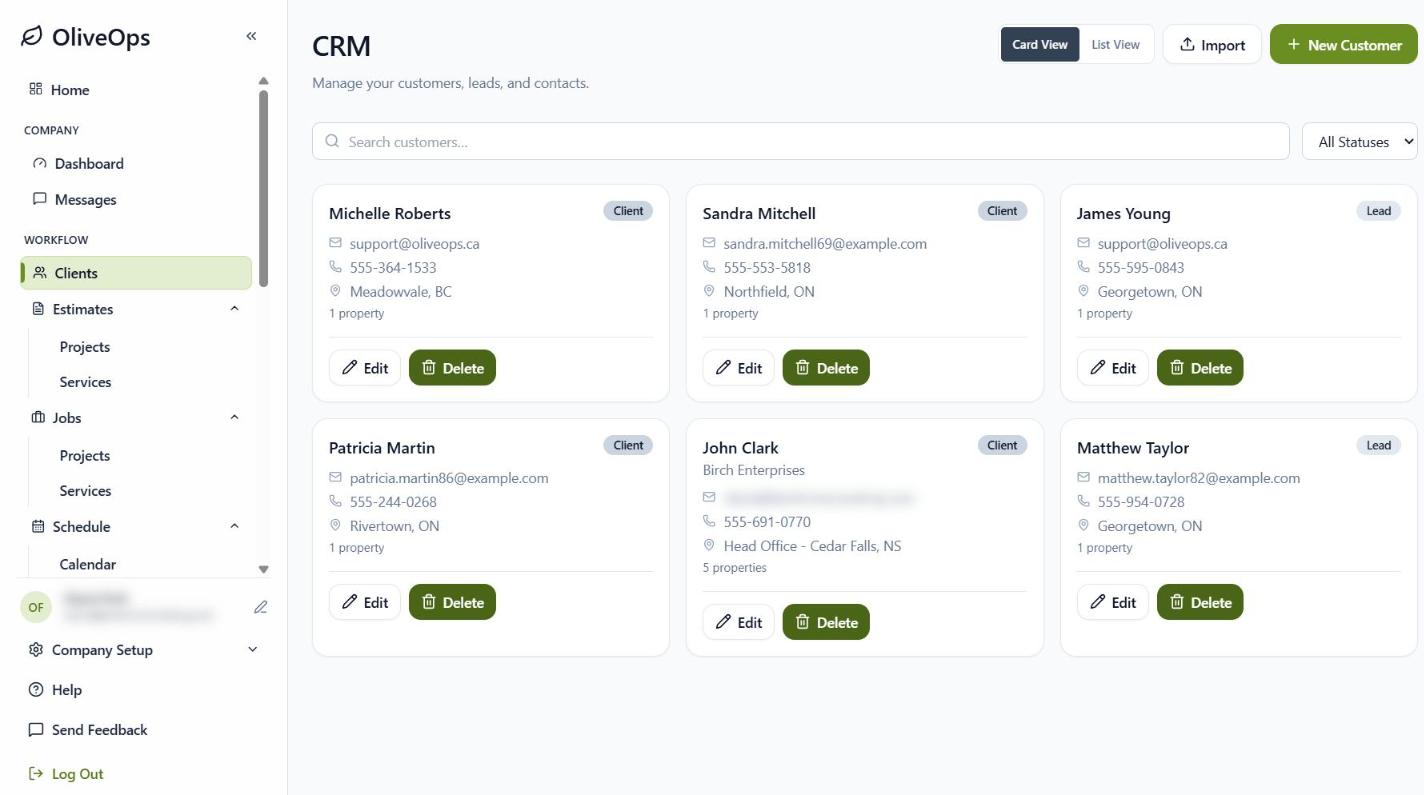
Clients & CRM
Keep every customer, property, and conversation in one place, with each client linked to their estimates, jobs, and invoices.
- People or company-only customers
- Multiple properties per customer
- Leads and import from a spreadsheet
- Every estimate, job, and invoice on the client
Estimates & Proposals
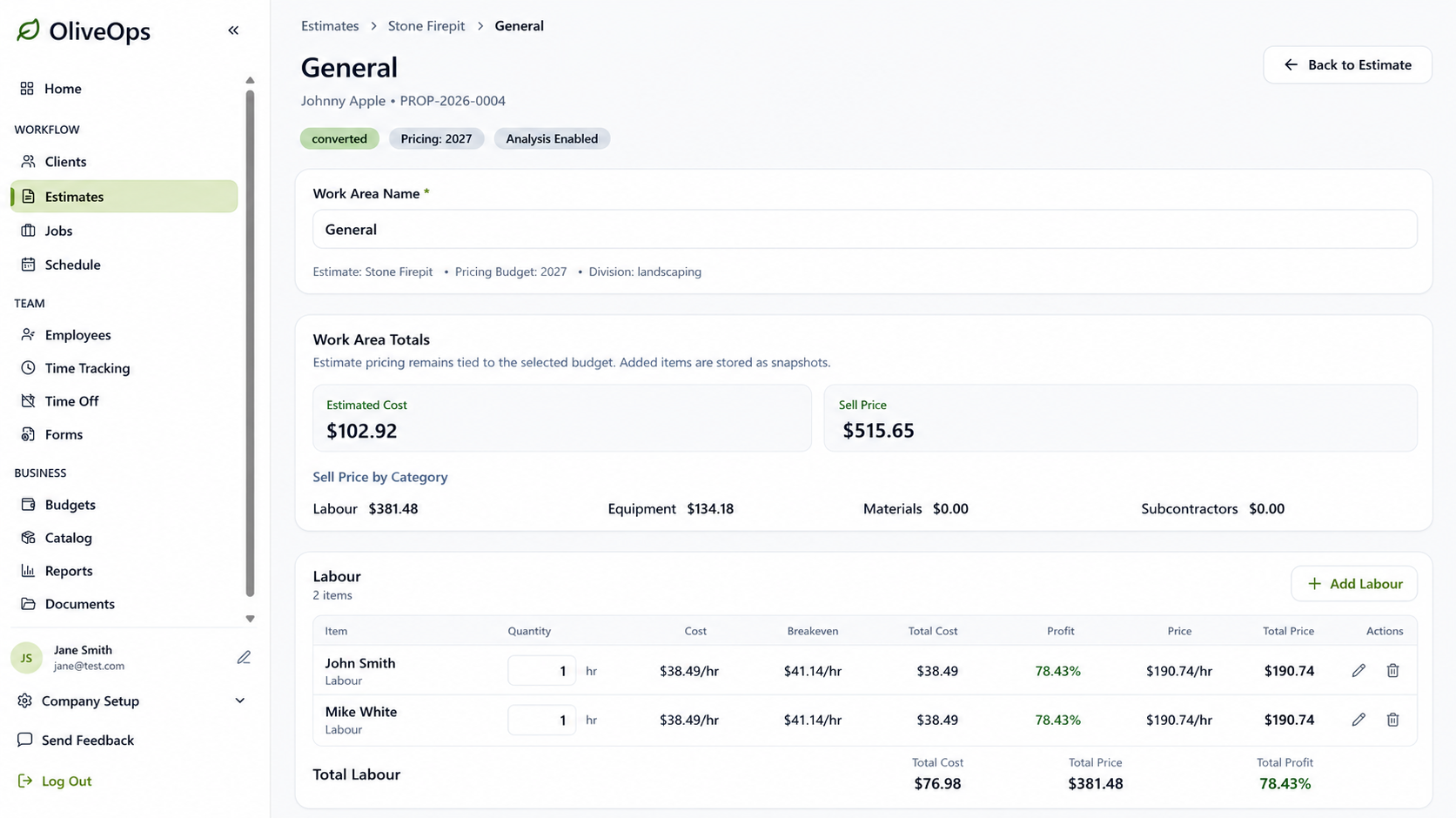
Build estimates by Work Area from your own catalog of labour, equipment, materials, and subcontractors, priced from your budget. Send a branded proposal the customer can accept online.
- Work Areas priced from your catalog and budget
- Templates and duplicate Work Areas
- Online proposals with your logo, and view tracking
- Optional line items and change orders
Recurring Services
Quote snow, lawn care, and maintenance contracts per visit or per season, then track every visit through the year.
- Per-visit or contract pricing
- A property per service, across multiple properties
- Visits with the equipment and materials used
- Bill completed visits on one invoice
Jobs & Job Costing
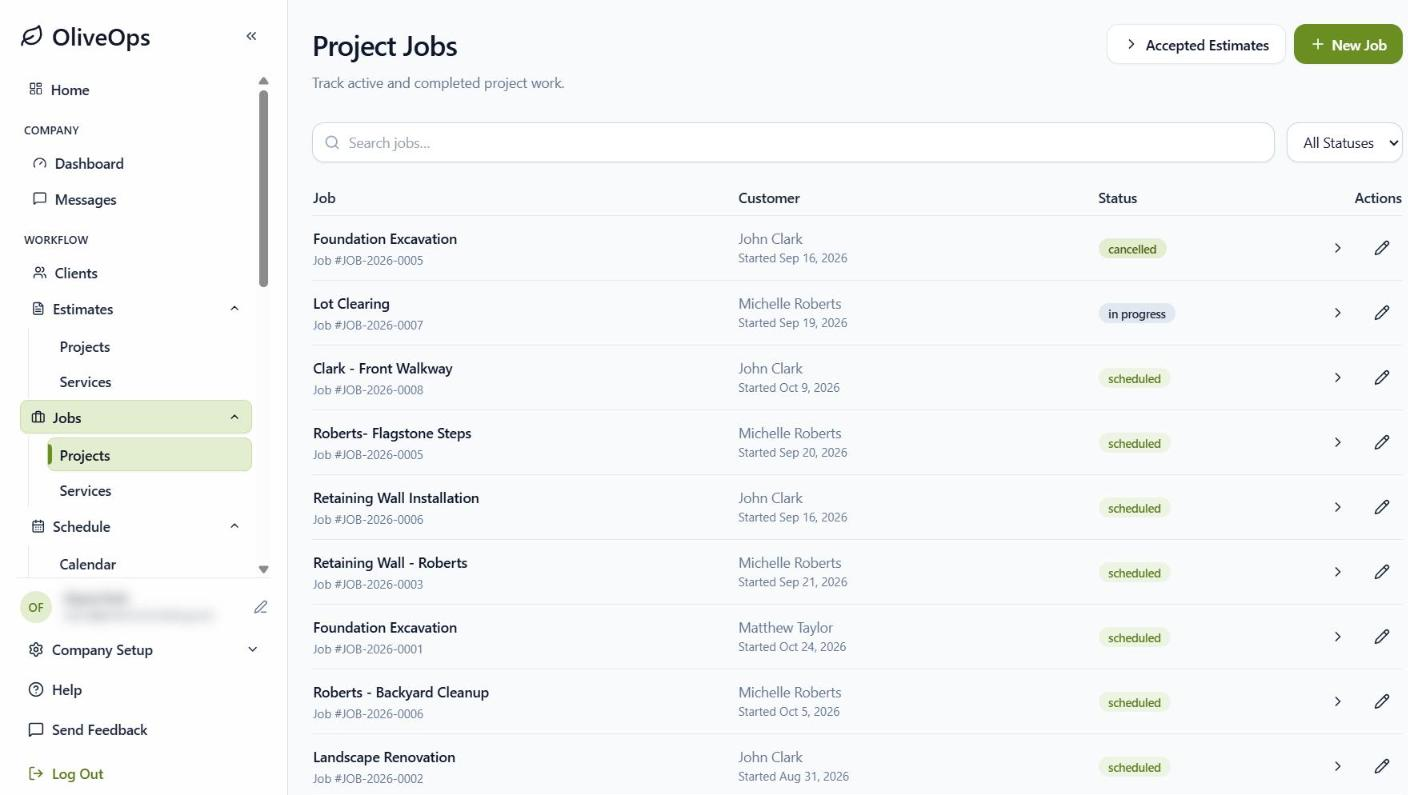
An accepted estimate becomes the job, with nothing re-entered. Track the work, then see estimated against actual for revenue, cost, margin, and hours as it happens.
- Estimate and job as one item
- Work Areas, tasks, notes, photos, and files
- Estimated vs actual, live
- Hours remaining, overall and per Work Area
RoutingAdd-on
Build routes from your sold jobs, schedule events, and follow the crew live. Every stop records arrival, time on site, and before and after photos.
- Routes from whole jobs, Work Areas, or services
- Repeat schedules and one-off storm events
- Live map, photos, and notes for each event
- Analysis for each event and the whole route
Scheduling
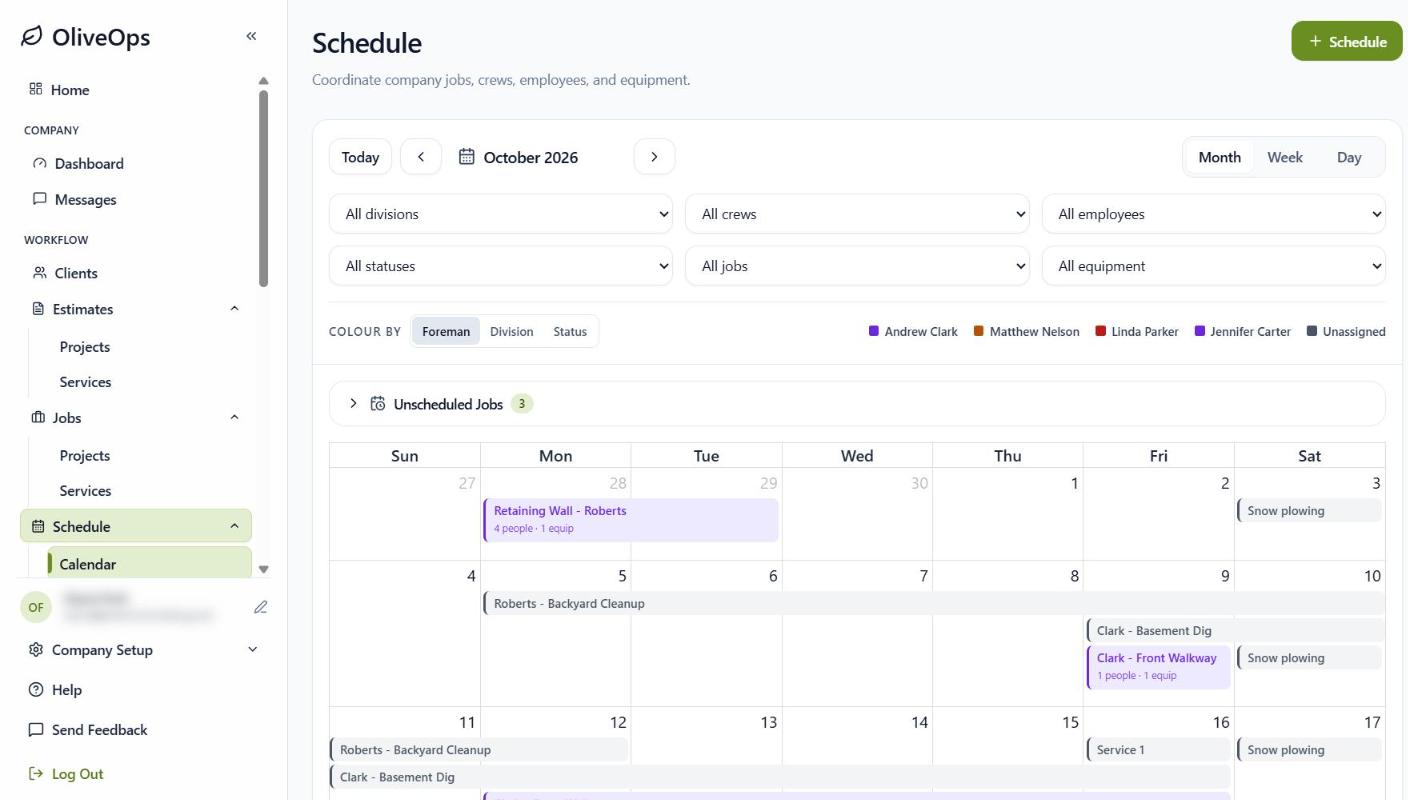
Schedule jobs, crews, and equipment on one calendar, with warnings before anyone or anything is double-booked.
- Jobs, crews, and equipment on one calendar
- Overlap warnings
- Skip days inside a job
- Crews see their schedule on their phones
Crew Mobile App
Foremen and crews run their day from the OliveOps app on iPhone and Android, even with a weak signal.
- Clock in and out by job, Work Area, or drive time
- Job details with quantities, never prices
- Step-by-step route stops with photos
- Push notifications, plus forms and messages with add-ons
Team, Time & Payroll
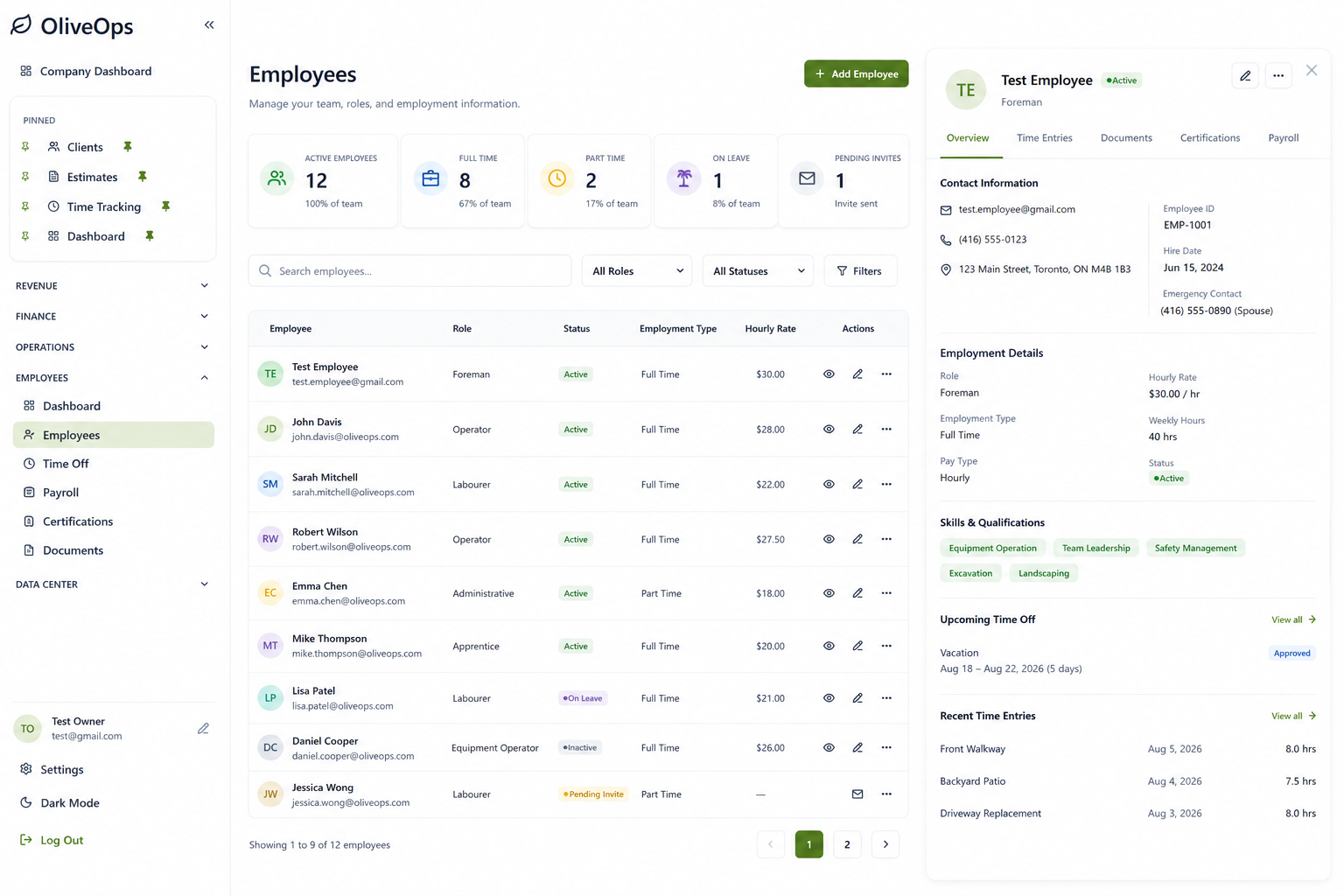
Track who worked where and for how long, and keep your team trained and certified.
- Time entries, corrections, and time off
- Payroll-ready hours, rounded like a timesheet
- Training, certifications, and SOPs (add-on)
- See who is clocked in right now
Budgets & Reporting
Plan the year by division, then compare it with what actually happened. Your budget sets the rates your estimates use.
- Divisional budgets and labour plans
- Profit & Loss with your cost codes
- Equipment costed per hour
- Revenue and labour-hour sales goals
Invoicing & Finance
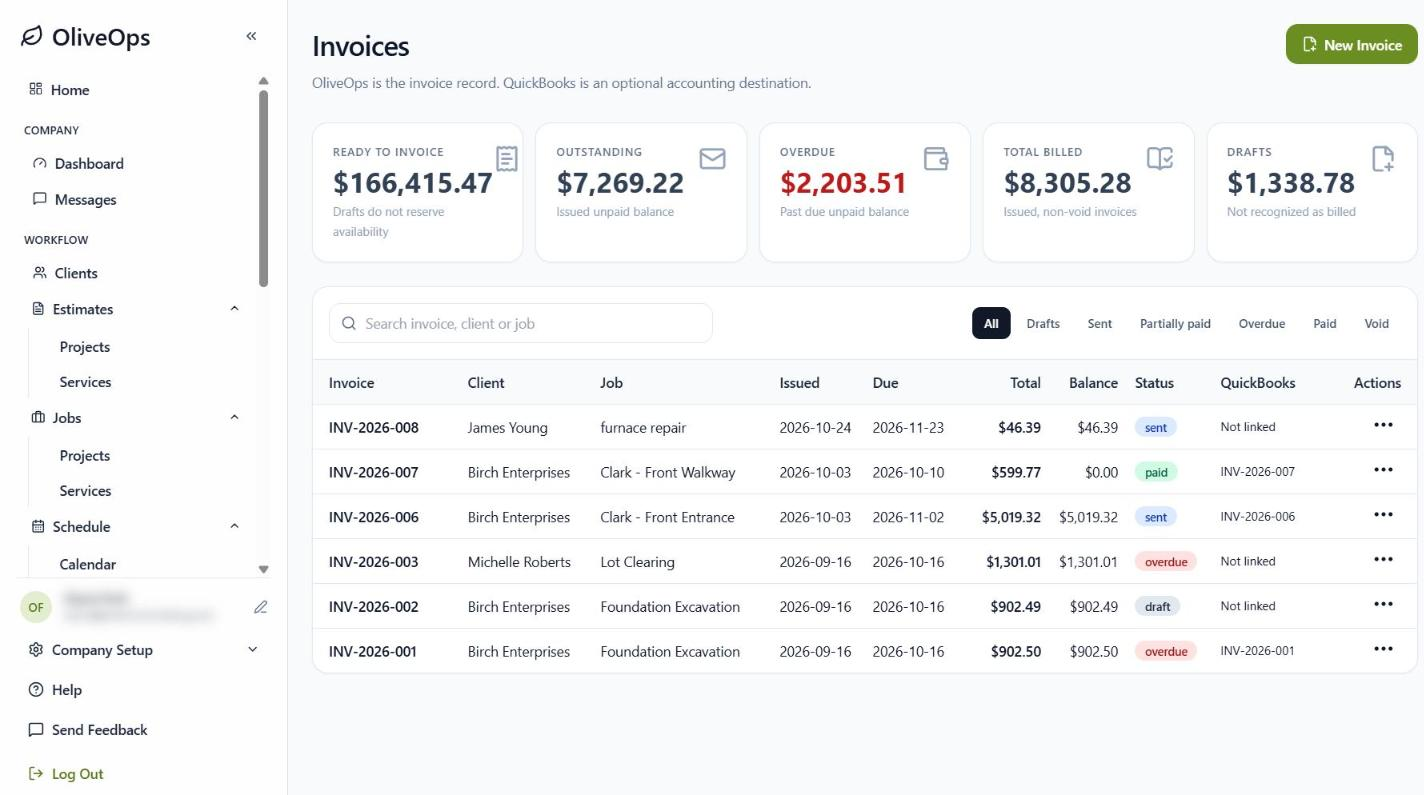
Invoice progress, time and materials, or completed visits, preview before sending, and track the bills coming in. Connect QuickBooks Online and your invoices and payments stay in step.
- Progress, time and materials, and per-visit invoices
- Online invoices with your branding
- QuickBooks Online: invoices go across, payments come back
- Bills with due terms, purchase orders, and a finance dashboard
Messaging & Company DashboardAdd-ons
Keep the office and the field talking, and run the company from shared task boards.
- Direct messages, group chats, and job chats
- Announcements with photos
- Company task boards for sales, operations, finance, and team
- Requests from the field land on the right board
Want to see it in action?
Book a personalized demo and we'll walk you through how OliveOps fits your operation.
Ready to simplify your operations?
See how OliveOps would run your business in a 30-minute demo. If it's a fit, we set up your account and get your team started.
No commitment. We'll reply within 1–2 business days to pick a time.